Alternatives Adobe Acrobat Sign
SuperOffice vs Adobe Acrobat Sign
Adobe sells e-signatures as part of Acrobat, so you are buying a full PDF editor as well. Its annual plans, billed monthly, charge half of the remaining year if you cancel more than 14 days after the free trial ends. SuperOffice is a monthly price for one job: write the document, send it, and get it signed.
What the cheapest paid plan gets you
Adobe Acrobat Sign figures from Adobe Acrobat Sign’s own website, Nov 6, 2026.
Choose SuperOffice if
You want documents written and signed on a simple monthly plan.
Choose Adobe Acrobat Sign if
Pick Adobe if you already pay for Acrobat Pro and edit PDFs every day.
Side by side
SuperOffice and Adobe Acrobat Sign, feature by feature
| Feature | SuperOffice | Adobe Acrobat Sign |
|---|---|---|
| How it is sold | On its own: Solo $10/month, Team $12/user/month | Inside Acrobat plans; Acrobat Sign Solutions plans are quote only |
| Leaving an annual plan early | No annual commitment needed | Half the remaining annual commitment, if cancelled 14+ days after the trial |
| How many you can send | Unlimited documents | No usage caps on Acrobat for teams plans |
| Writes the document for you | Yes, from one line, on your letterhead | AI Assistant summarises and answers questions about PDFs |
| Upload a PDF or Word file and place fields | Yes | Yes |
| Edit the existing text of a PDF | No; rebuild it in the builder | Yes, in Acrobat Pro |
| Merge, split, compress, protect PDFs | 16 PDF tools included | Yes, in Acrobat |
| Signing order and parallel signers | Yes | Yes |
| Certificate page and audit trail | Yes | Yes |
| Free public page to verify a signature | Yes, by reference or QR code, no account | No |
| Bulk send and web forms | Not yet | On Acrobat Sign Solutions plans |
| ID verification, phone checks, notary | Not yet | Through Adobe sales |
| Compliance certifications | Not yet certified | SOC 2 Type 2, ISO 27001, HIPAA-ready, FedRAMP Tailored and more |
Adobe Acrobat Sign details are from Adobe Acrobat Sign’s own website, read on Nov 6, 2026. Prices change, so check theirs before you decide. SuperOffice prices are in US dollars. Where SuperOffice says “Not yet”, it does not have it today.
Why teams switch
Why teams move from Adobe Acrobat Sign
Pay for signing, not a PDF suite
If what you need is to send proposals and contracts for signature, an Acrobat licence carries a lot you won't use. SuperOffice covers the document and the signature, with 16 everyday PDF tools such as merge, compress and protect included.
Start from a sentence, not a blank PDF
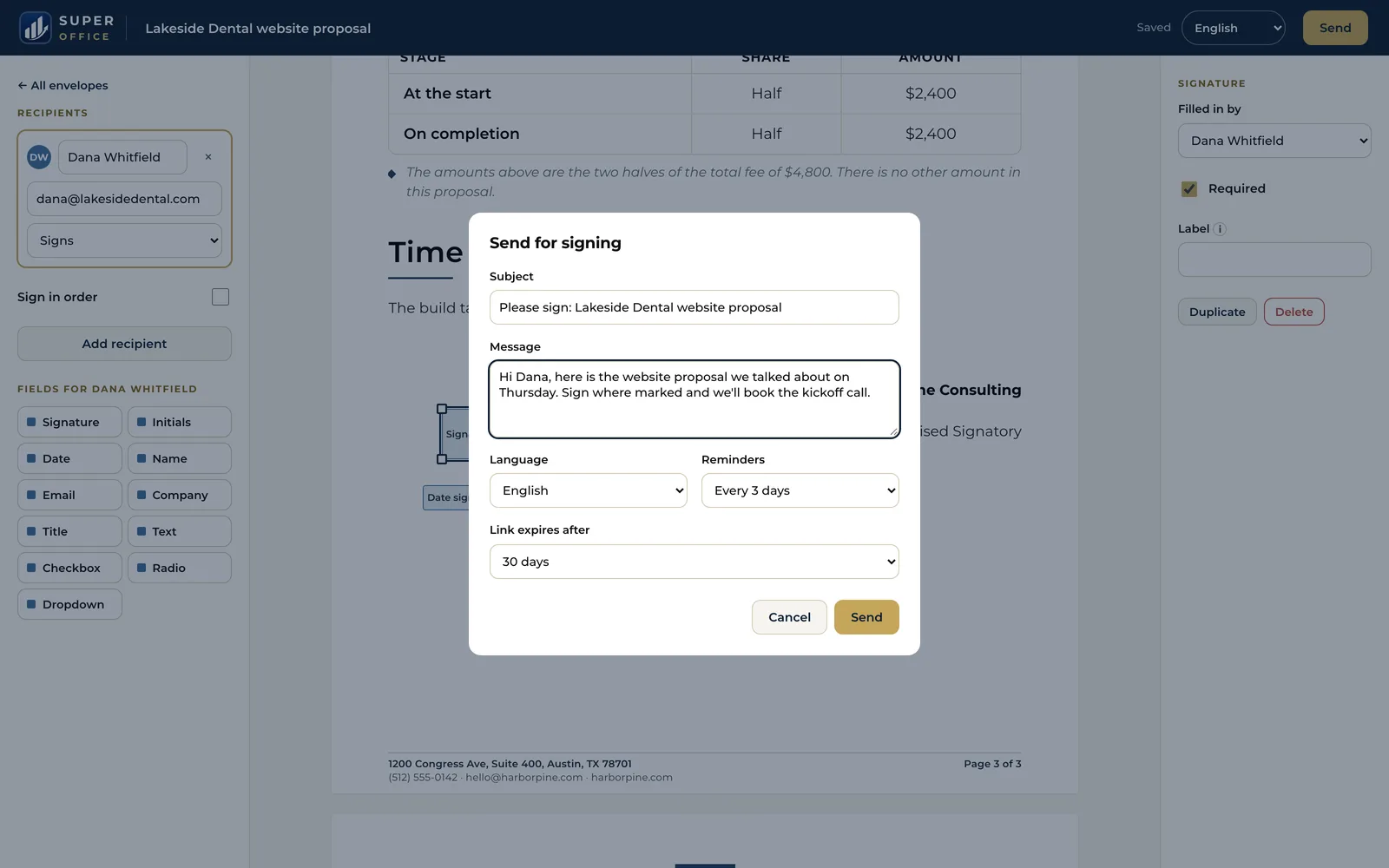
Acrobat works on PDFs you already have. SuperOffice writes the document from one line, laid out on your letterhead, then sends it for signature from the same place.
Verification without Acrobat
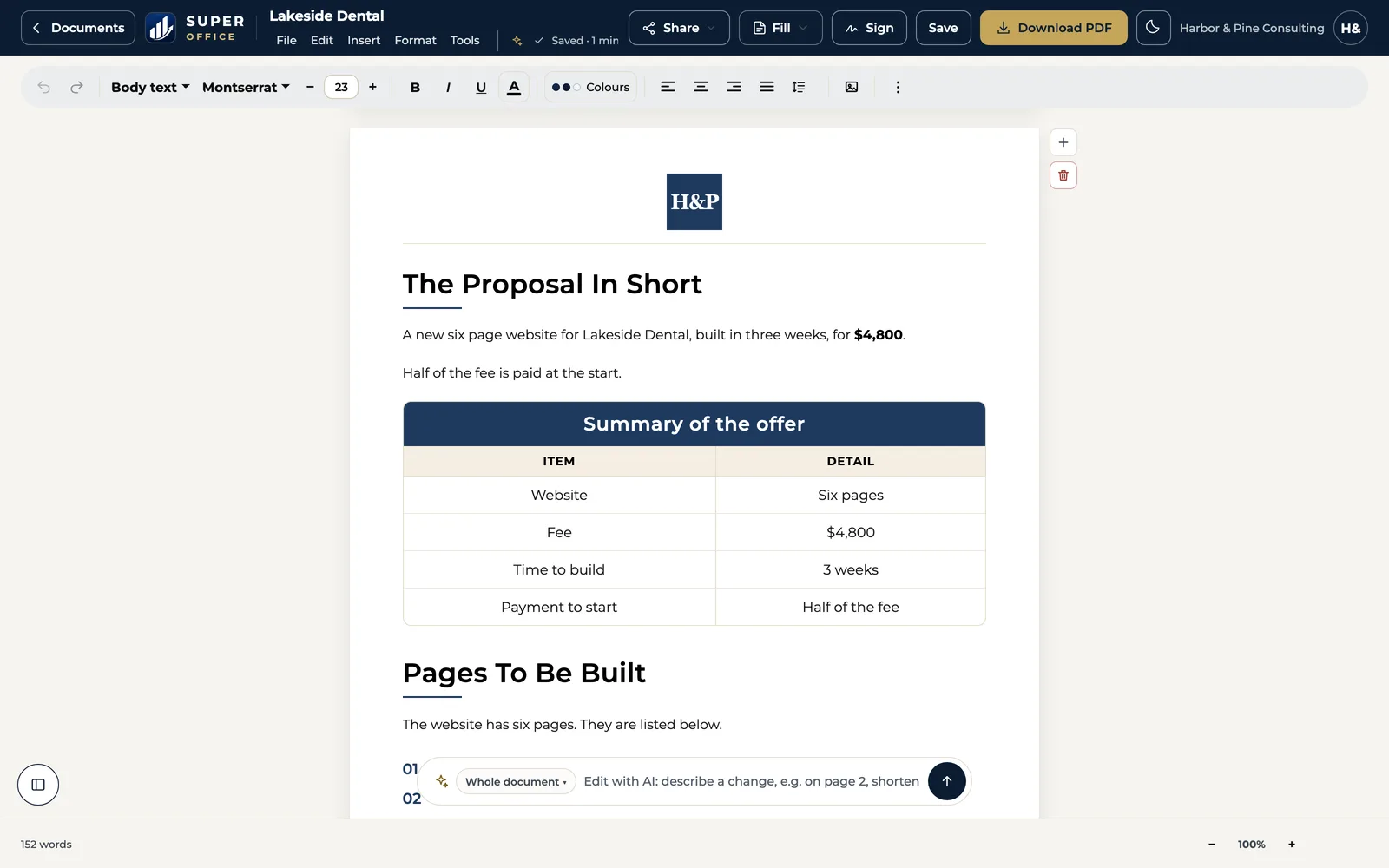
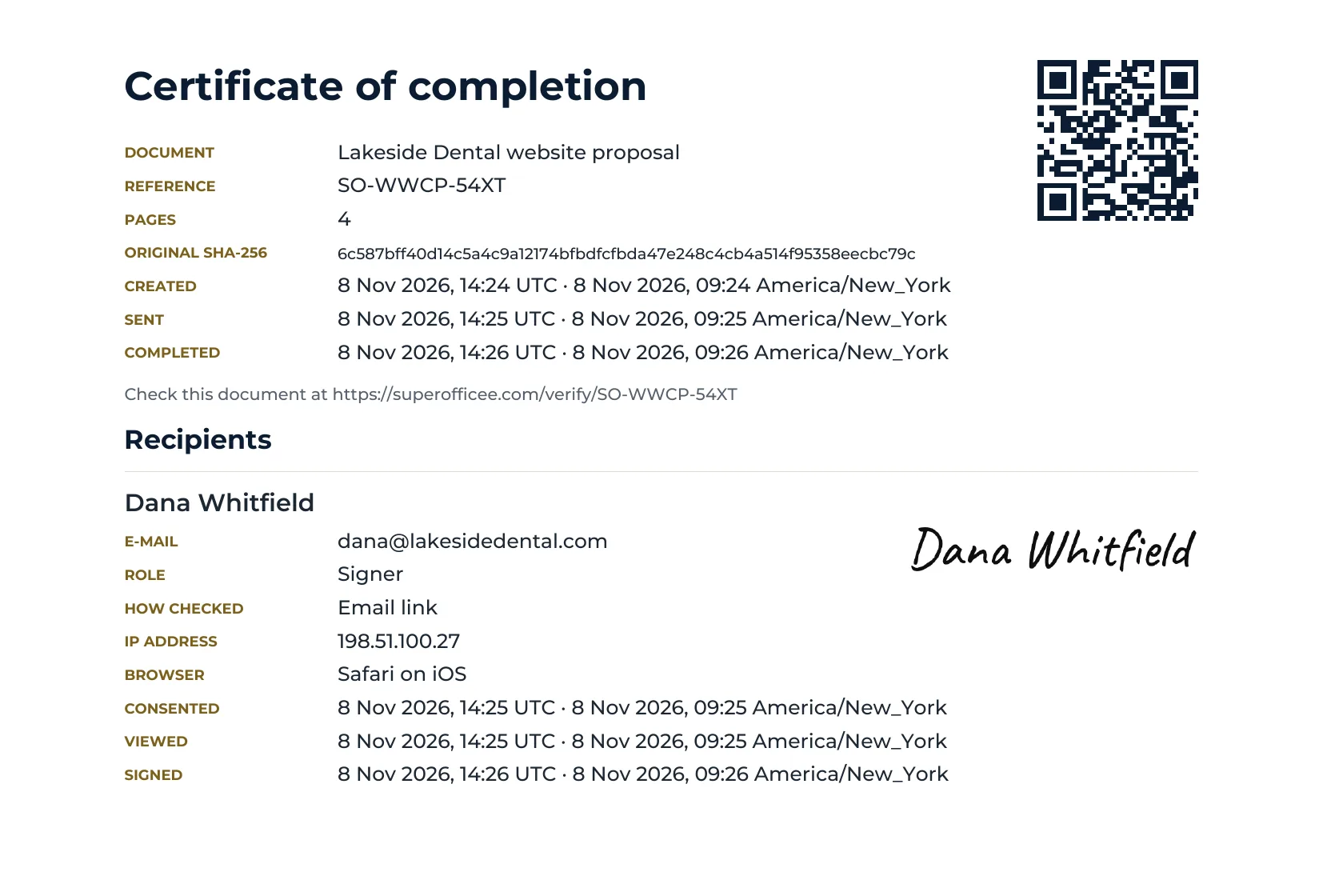
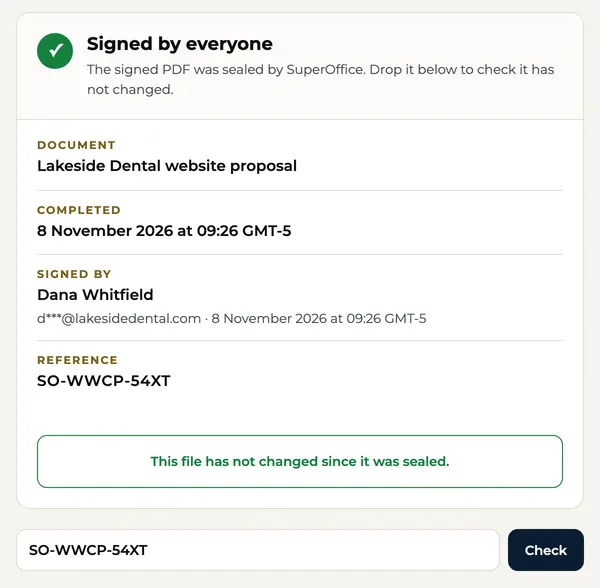
Your client doesn't need Adobe software to check a signature. The QR code on every SuperOffice signature opens a free public page with who signed and when.
When Adobe Acrobat Sign may be the better fit
Adobe Acrobat Sign is a capable product. It is likely the better choice if:
- You already pay for Acrobat Pro and edit the text of existing PDFs often.
- You need certifications such as FedRAMP, HIPAA or 21 CFR Part 11 for your industry.
- You need government ID checks or notarization arranged through a vendor.
- Your company buys software on enterprise contracts with Adobe.
Switching from Adobe Acrobat Sign
Download your agreements
From Acrobat Sign, download your library templates and completed agreements, with their audit reports, as PDFs.
Upload the ones you reuse
Upload each template with Sign a PDF and place the fields, or rebuild it in the builder on your own letterhead.
Send for signature
Add signers, set the order and send. You can keep Acrobat for editing PDFs if you still need it.
Who makes it
A small team you can write to.
SuperOffice™ is built and run by Intelus Technologies. Rahul Kochar and Amit Jain own both companies, so a question about switching reaches a founder: work@superoffice.in.

 Rahul Kochar, Founder & CEO
Amit Jain, Co-founder & CTO
I’ve worked with Rahul and the team at Intelus Technologies for more than a decade, and it’s been a consistently positive experience.
 Brendan O’SheaPharmaxa Labs, client since 2012. A review of Intelus’ web and software work.
Questions people ask
Can I use SuperOffice instead of Acrobat for e-signatures?
Yes. SuperOffice uploads a PDF or Word file, places the fields, sends each signer a private link and returns a sealed PDF with a certificate page. It does not edit the existing text inside a PDF the way Acrobat Pro does.
Is there a cancellation fee with Adobe Acrobat?
As of Nov 6, 2026, Adobe's page for its annual plan billed monthly says a fee of half your remaining annual commitment applies if you cancel 14 days after your free trial ends.
Does SuperOffice have PDF tools?
Yes, 16 of them: merge, split, remove and extract pages, organise, rotate, compress, JPG to PDF, PDF to JPG, Word to PDF, page numbers, watermark, protect, unlock, sign yourself and request signatures.
Will a SuperOffice-signed PDF open in Adobe Reader?
Yes. It is a normal PDF with the signatures, a certificate page and a digital seal. The fastest way to check it is the public verify page, which needs no software at all.
Is SuperOffice certified for HIPAA or FedRAMP?
No. If your work requires those certifications, Adobe Acrobat Sign is the better fit.
Try it beside Adobe Acrobat Sign for 15 days.
Start with your work email. No credit card, unlimited documents, $10 a month after the trial.
Start 15-day free trial15 days free. No credit card.