Alternatives DocuSign
SuperOffice vs DocuSign
DocuSign is the name most people know, and its plans are built around envelopes: 5 a month on Personal, 100 per user per year on Standard and Business Pro, then $5.80 for each one over. SuperOffice is one flat price with unlimited documents, and it writes the document for you before you send it.
What the cheapest paid plan gets you
DocuSign figures from DocuSign’s own website, Nov 6, 2026.
Choose SuperOffice if
You send proposals, quotes, contracts and letters every week and don't want to count envelopes.
Choose DocuSign if
You need notarization, ID checks or one of its 900+ integrations.
Side by side
SuperOffice and DocuSign, feature by feature
| Feature | SuperOffice | DocuSign |
|---|---|---|
| Cheapest paid plan | Solo $10/month | Personal $11/month, billed annually ($132 a year) |
| Team plan | Team $12/user/month | Standard $30/user/month, billed annually |
| How many you can send | Unlimited documents | 5 envelopes a month on Personal; 100 per user per year on Standard and Business Pro |
| Going over the limit | There is no limit to go over | $5.80 per extra envelope |
| Writes the document for you | Yes. Describe it in one line and get a proposal, quote, contract or letter on your letterhead | AI summary of agreements; you bring the document |
| Upload a PDF or Word file and place fields | Yes, 11 field types | Yes |
| Signing order and parallel signers | Yes | Yes |
| Reminders, expiry, void | Yes | Yes |
| Certificate page and audit trail | Yes, with a tamper-evident seal on the PDF | Yes |
| Free public page to verify a signature | Yes, by reference or QR code, no account | No |
| Bulk send and web forms | Not yet | Business Pro ($45/user/month) |
| SMS delivery and ID verification | Not yet | Paid add-ons, from $0.36 per SMS and $2.40 per ID check |
| Remote online notarization | Not offered | Yes |
| Integrations and API | Not yet | 900+ integrations; API plans from $50/month |
DocuSign details are from DocuSign’s own website, read on Nov 6, 2026. Prices change, so check theirs before you decide. SuperOffice prices are in US dollars. Where SuperOffice says “Not yet”, it does not have it today.
Why teams switch
Why teams move from DocuSign
No envelope arithmetic
A Standard seat at DocuSign covers 100 envelopes a year, about two a week. If you send more than that, you either buy more seats or pay per envelope. SuperOffice doesn't count: send as many documents as your work needs, on one flat price.
The document gets written too
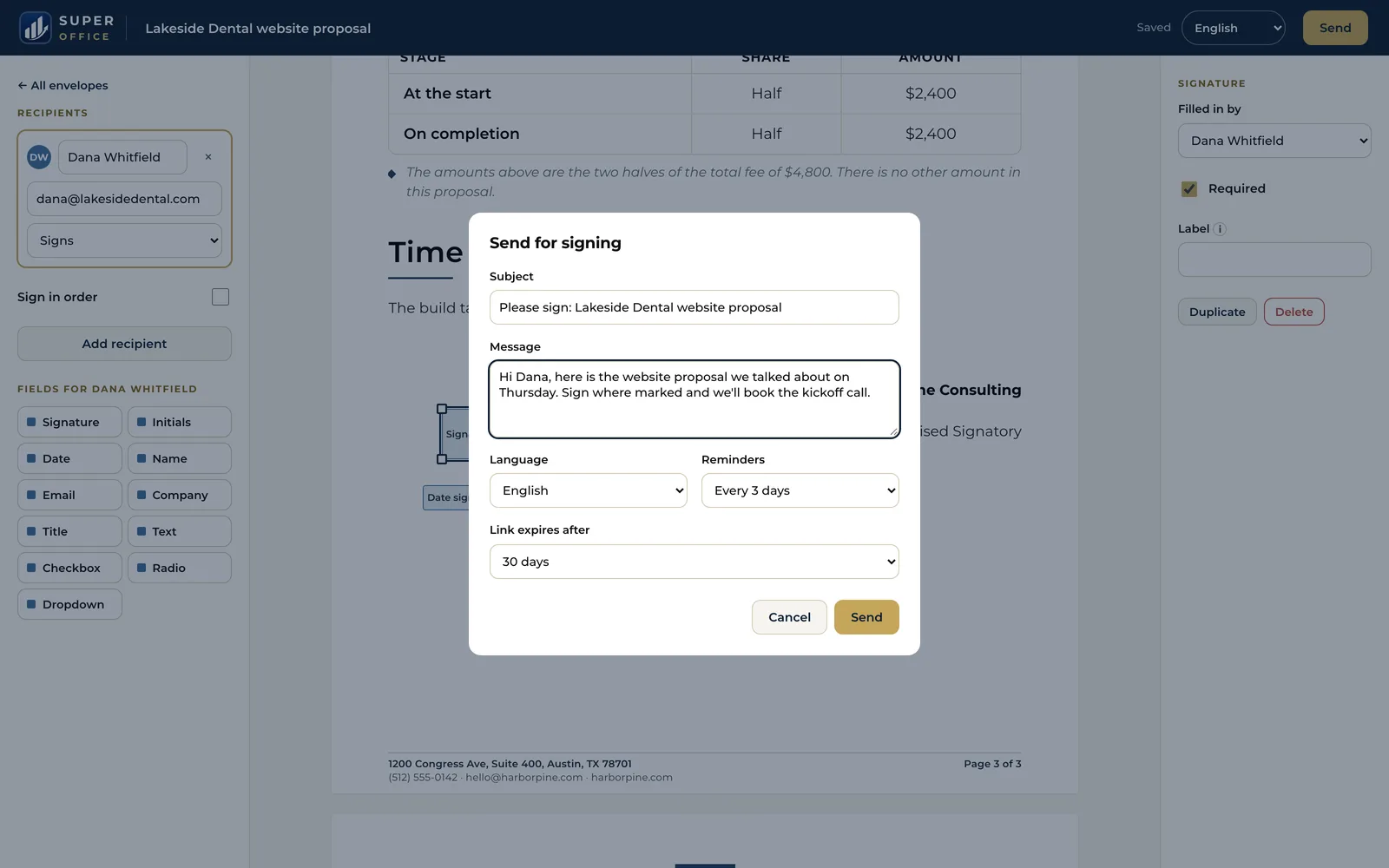
DocuSign starts when the document is finished. SuperOffice starts earlier: type "proposal for a 3-month website retainer for Acme" and it drafts the document on your letterhead, ready to edit and send for signature.
Anyone can check a signature
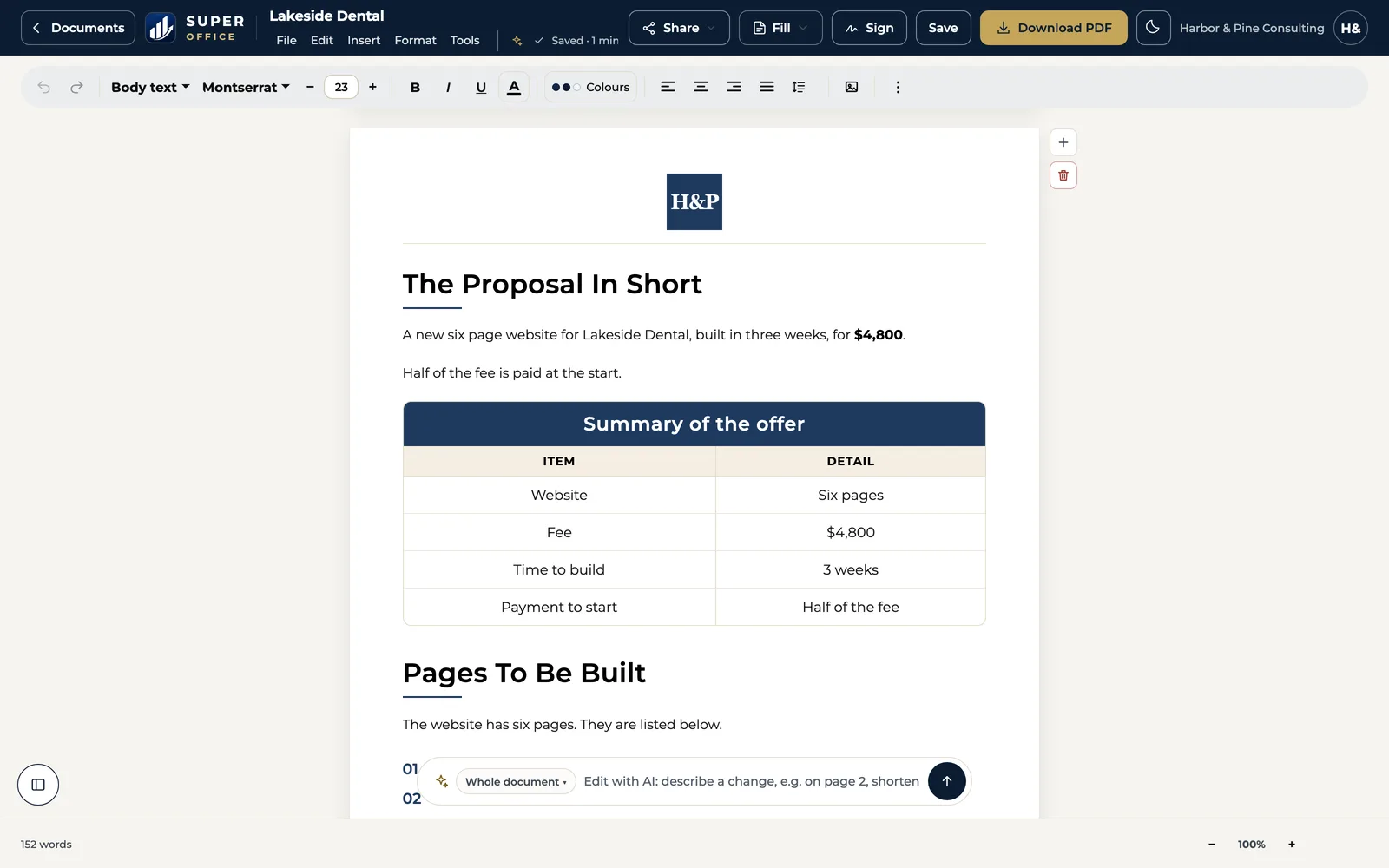
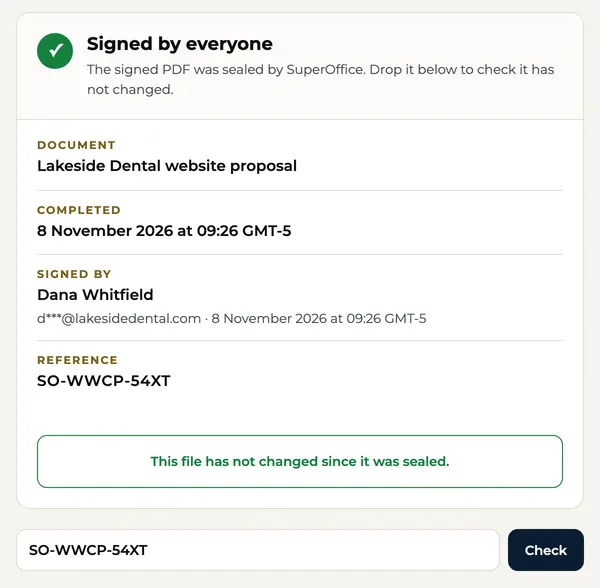
Every signed SuperOffice document carries a reference and a QR code. Your client, their lawyer or their bank can open the free public verify page and see who signed and when, without an account.
When DocuSign may be the better fit
DocuSign is a capable product. It is likely the better choice if:
- You need remote online notarization, or ID checks on signers at scale.
- Your workflows depend on one of DocuSign's 900+ integrations.
- You are a regulated enterprise that needs SSO, HIPAA or FedRAMP controls (DocuSign's Enhanced plan).
- You send to signers in many languages: DocuSign's signing page comes in 44; SuperOffice's in 6.
Switching from DocuSign
Download your templates
In DocuSign, open each template you use and download its document as a PDF. Download your completed envelopes too; keep them as your records.
Upload them to SuperOffice
Use Sign a PDF to upload each file and place the signature, date and text fields again. Or rebuild it in the builder on your own letterhead.
Send the next one
Add your signers, set the order, and send. Each signer gets their own link and needs no account.
Who makes it
A small team you can write to.
SuperOffice™ is built and run by Intelus Technologies. Rahul Kochar and Amit Jain own both companies, so a question about switching reaches a founder: work@superoffice.in.

 Rahul Kochar, Founder & CEO
Amit Jain, Co-founder & CTO
I’ve worked with Rahul and the team at Intelus Technologies for more than a decade, and it’s been a consistently positive experience.
 Brendan O’SheaPharmaxa Labs, client since 2012. A review of Intelus’ web and software work.
Questions people ask
Is SuperOffice a DocuSign alternative for small businesses?
Yes, if what you need is to make documents, send them and get them signed. SuperOffice has no envelope limit and costs $10 a month for one person. It does not offer notarization, ID verification or DocuSign's integrations yet.
How many envelopes does DocuSign include?
As of Nov 6, 2026, DocuSign Personal includes 5 envelopes a month. Standard and Business Pro include 100 envelopes per user per year on annual plans. Extra envelopes cost $5.80 each.
Are SuperOffice signatures legally binding in the US?
SuperOffice records the signer's consent to sign electronically, the time, the device and every step, and adds a certificate page and a tamper-evident seal to the signed PDF. Those are the records the US ESIGN Act and UETA look for. For a document that law requires on paper or notarized, use a notary.
Can I move my DocuSign templates to SuperOffice?
Yes. Download each template's document from DocuSign as a PDF, upload it with Sign a PDF and place the fields again. There is no automatic import yet.
Does SuperOffice have an API like DocuSign?
Not yet. Today you send from the SuperOffice web app. If you need to send from your own software, DocuSign's API is the better fit for now.
Do my signers need a SuperOffice account?
No. Each signer gets a private link by email, reads the document, adopts a signature and finishes. They can then check it on the public verify page.
Try it beside DocuSign for 15 days.
Start with your work email. No credit card, unlimited documents, $10 a month after the trial.
Start 15-day free trial15 days free. No credit card.