Alternatives PandaDoc
SuperOffice vs PandaDoc
PandaDoc is built for sales teams: quotes, a content library, CRM sync and payments, with the full set on Business at $49 per seat per month. SuperOffice is for the rest of the office. It writes the proposal, the contract or the letter from one line, on your letterhead, and gets it signed, at one flat price.
What the cheapest paid plan gets you
PandaDoc figures from PandaDoc’s own website, Nov 6, 2026.
Choose SuperOffice if
You want documents written and signed without paying for a sales platform.
Choose PandaDoc if
Your quotes live in HubSpot or Salesforce and you take payment on signing.
Side by side
SuperOffice and PandaDoc, feature by feature
| Feature | SuperOffice | PandaDoc |
|---|---|---|
| Cheapest paid plan | Solo $10/month | Starter $19/seat/month, billed annually |
| Plan with branding and CRM | Team $12/user/month, your letterhead on every plan | Business $49/seat/month, billed annually |
| How many you can send | Unlimited documents | Unlimited on Starter and Business; 5 a month on Free |
| Templates | Your own formats, plus a ready-made template library | 5 on Starter; unlimited on Business |
| Writes the document for you | Yes, from one line, on your letterhead | AI Assistant inside the editor |
| Upload a PDF or Word file and place fields | Yes | Yes |
| Signing order, approvers and viewers | Yes | Yes; approvals on Business |
| Free public page to verify a signature | Yes, by reference or QR code, no account | No |
| PDF tools (merge, split, compress, protect) | 16 included | No |
| CRM integrations | Not yet | HubSpot, Salesforce and more on Business |
| Payments on signing | Not yet | Yes |
| Quote builder with pricing tables (CPQ) | Quotes as documents; no CPQ | Yes; CPQ is an Enterprise add-on |
| Notary | Not offered | From $25 per transaction |
| Free trial | 15 days, no credit card | 14 days, no credit card |
PandaDoc details are from PandaDoc’s own website, read on Nov 6, 2026. Prices change, so check theirs before you decide. SuperOffice prices are in US dollars. Where SuperOffice says “Not yet”, it does not have it today.
Why teams switch
Why teams move from PandaDoc
Less to pay for if you don't sell through a CRM
Most of what sits in PandaDoc's $49 Business plan (CRM sync, rooms, analytics, a content library) is for sales teams. If you write proposals, contracts and letters and need them signed, SuperOffice covers that for $12 a user.
Every document, not only quotes
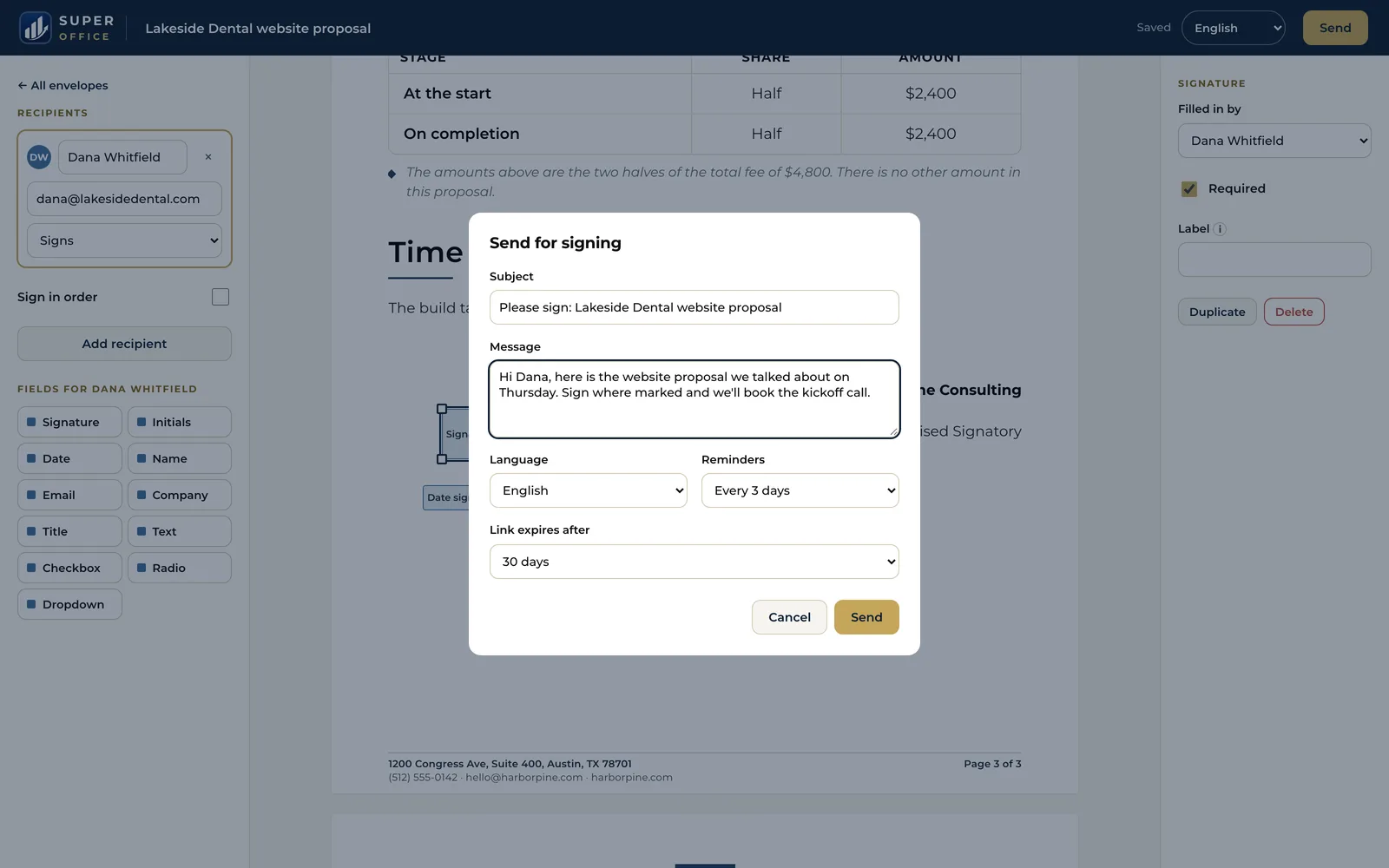
SuperOffice writes offer letters, notices, agreements, certificates and proposals from one line, laid out on your own letterhead. You edit the draft, then send it for signature from the same screen.
Proof your client can check
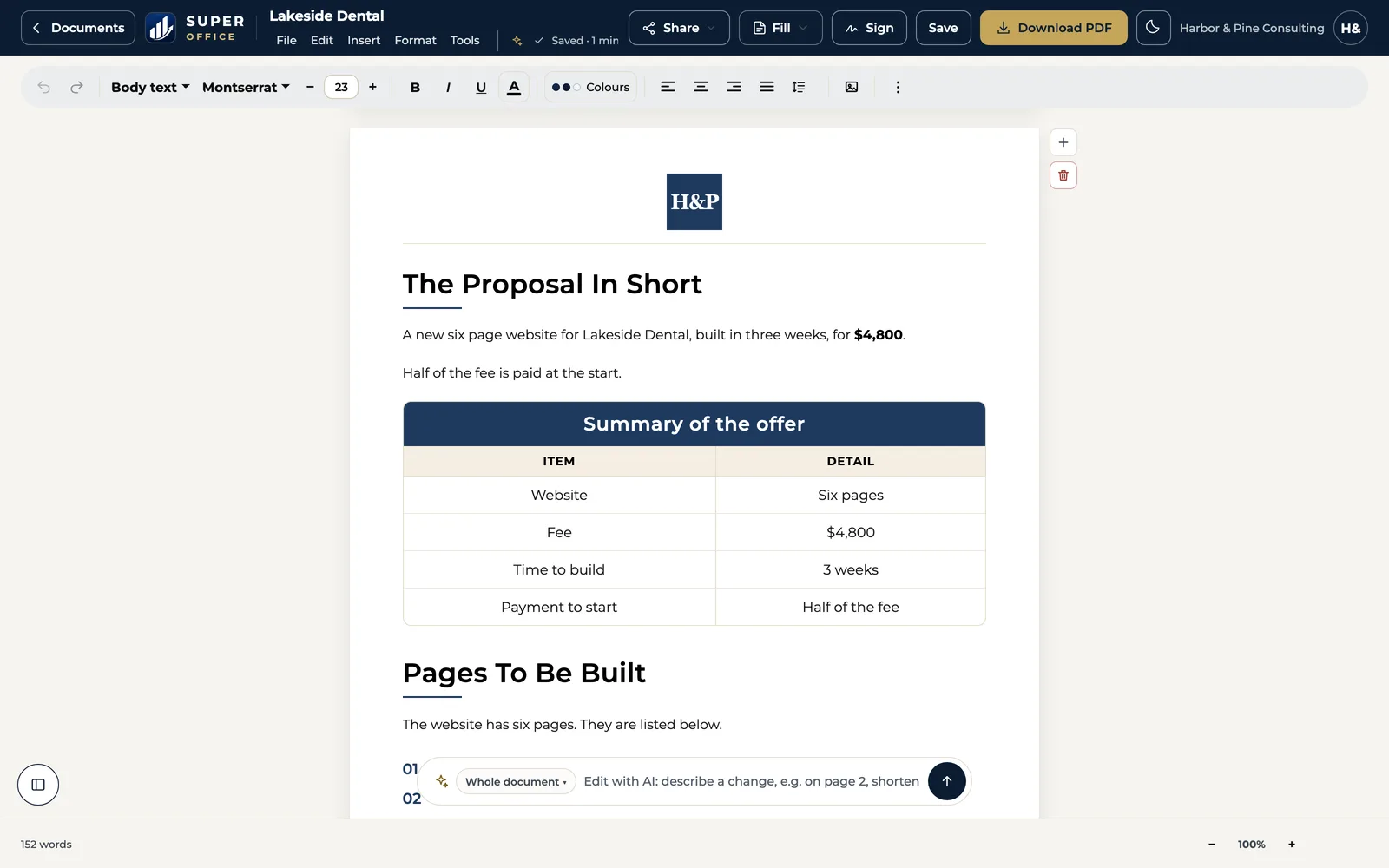
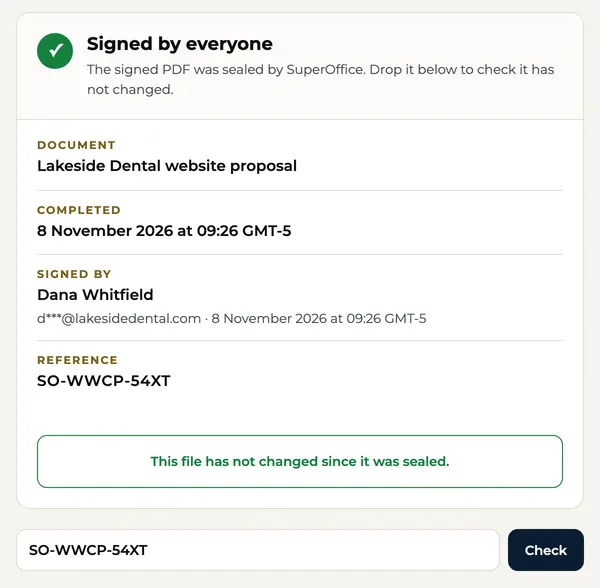
A signed SuperOffice document has a reference and a QR code that open a free public verify page. Anyone can see who signed and when, without signing up.
When PandaDoc may be the better fit
PandaDoc is a capable product. It is likely the better choice if:
- Your team builds quotes inside HubSpot or Salesforce and needs two-way sync.
- You want to collect payment the moment a client signs.
- You track how long each prospect spends on each page of a proposal.
- You need configure-price-quote rules or notarized signatures.
Switching from PandaDoc
Export what you reuse
Download your PandaDoc templates and recent documents as PDFs. Copy any content-library blocks you rely on into a text file.
Rebuild or upload
Paste the text into the SuperOffice builder and it lays the document out on your letterhead, or upload the PDF with Sign a PDF and place the fields.
Send for signature
Add signers, approvers and viewers, set the order, and send. Each person gets their own link.
Who makes it
A small team you can write to.
SuperOffice™ is built and run by Intelus Technologies. Rahul Kochar and Amit Jain own both companies, so a question about switching reaches a founder: work@superoffice.in.

 Rahul Kochar, Founder & CEO
Amit Jain, Co-founder & CTO
I’ve worked with Rahul and the team at Intelus Technologies for more than a decade, and it’s been a consistently positive experience.
 Brendan O’SheaPharmaxa Labs, client since 2012. A review of Intelus’ web and software work.
Questions people ask
Is SuperOffice cheaper than PandaDoc?
For most small teams, yes. As of Nov 6, 2026 PandaDoc Business is $49 per seat per month billed annually, and Starter is $19. SuperOffice is $10 a month for one person or $12 per user per month for a team, with unlimited documents.
Can SuperOffice make proposals like PandaDoc?
Yes. Describe the proposal in one line, or drop in your notes, and SuperOffice drafts it on your letterhead. It does not have PandaDoc's pricing tables with CRM sync or its proposal analytics.
Does SuperOffice integrate with HubSpot or Salesforce?
Not yet. If your documents must be created from CRM records, PandaDoc is the better fit today.
Can I collect payments when a document is signed?
Not in SuperOffice yet. PandaDoc supports payment collection on signing.
How do I move from PandaDoc to SuperOffice?
Download your templates as PDFs, then either upload them with Sign a PDF and place the fields, or paste the text into the builder to rebuild them on your letterhead.
What happens after the 15-day trial?
When the trial ends, you choose a plan to keep signing in. We don't take a card for the trial, so nothing is charged.
Try it beside PandaDoc for 15 days.
Start with your work email. No credit card, unlimited documents, $10 a month after the trial.
Start 15-day free trial15 days free. No credit card.